

Skip to content

Next Gen Life

Next-Gen Thinking, Unyielding Perseverance

Primary Navigation

  • About
  • Videos

Social Navigation

  • About
  • Videos

Follow On Social

  • YouTube
  • LinkedIn
  • Instagram

Recent Posts

  • Chrome’s Next Gen Update Gemini AI Inside the Browser plus Separate View Explained
  • Easily Learn Conversational AI | YouTube’s New AI Chat Tool Explained
  • Prompting Made Simple: 4 Easy Strategies K-8 Teachers Can Use to Get Better AI Results
  • Organizational Chrome Browser Branding
  • Engage Writers with AI and Canva Dream Lab

Categories

  • AI
  • Next Gen: Communications
  • Next Gen: Leadership
  • Next Gen: Tech and Tools
Follow Next Gen Life on WordPress.com

Author: Eric Hansen

Classroom Reading Minutes Template
Next Gen: Tech and Tools

Classroom Reading Minutes Template

If your classroom is in need of tracking student reading minutes for the week, quarter, and school year. Try out … Continue reading Classroom Reading Minutes Template

20 Keyboard Shortcuts for Google Drive
Next Gen: Tech and Tools

20 Keyboard Shortcuts for Google Drive

  Ctrl + / Displays the keyboard shortcut list in a pop up window. d Show or hide the details pane. … Continue reading 20 Keyboard Shortcuts for Google Drive

Fix for Adobe Flash not Working In SMART Notebook
Next Gen: Tech and Tools

Fix for Adobe Flash not Working In SMART Notebook

If you are unable to use any Adobe Flash resources in SMART Notebook 11 such as Gallery Multimedia items or … Continue reading Fix for Adobe Flash not Working In SMART Notebook

Fix a Sync Error in Google Chrome
Next Gen: Tech and Tools

Fix a Sync Error in Google Chrome

  If you ever see the 3 orange lines pop up in the settings button  that means you have a … Continue reading Fix a Sync Error in Google Chrome

Copying a File in Google Drive
Next Gen: Tech and Tools

Copying a File in Google Drive

If you ever needed to make a copy of a file in Google Drive, please follow these steps.   Right-Click … Continue reading Copying a File in Google Drive

Lesson Plan Template in Google Drive
Next Gen: Tech and Tools

Lesson Plan Template in Google Drive

I always love the phrase “think smarter not harder” and I believe it applies to this tip for Google Drive. … Continue reading Lesson Plan Template in Google Drive

Converting Files in Google Drive
Next Gen: Tech and Tools

Converting Files in Google Drive

If you have a file in you Google Drive that was uploaded but not converted to a Google Document and … Continue reading Converting Files in Google Drive
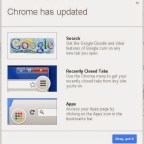
Google Chrome Browser Update!
Next Gen: Tech and Tools

Google Chrome Browser Update!

Very recently Google Chrome has been forcing a new browser update that will alter how you have been using and … Continue reading Google Chrome Browser Update!
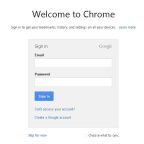
First Time Using Google Chrome GAFE
Next Gen: Tech and Tools

First Time Using Google Chrome GAFE

For staff using Google Apps for Education, it is very important that when you are logging into Google Chrome at … Continue reading First Time Using Google Chrome GAFE

Sharing your Outlook Calendar
Next Gen: Tech and Tools

Sharing your Outlook Calendar

Send an Invitation to Share a Calendar: 1. Click on Calendar (bottom left of screen). 2. Right-click on the calendar … Continue reading Sharing your Outlook Calendar

Posts navigation

Older posts
Newer posts
Blog at WordPress.com.
Next Gen Life
Blog at WordPress.com.
  • Subscribe Subscribed
    • Next Gen Life
    • Already have a WordPress.com account? Log in now.
    • Next Gen Life
    • Subscribe Subscribed
    • Sign up
    • Log in
    • Report this content
    • View site in Reader
    • Manage subscriptions
    • Collapse this bar
 

Loading Comments...