

Google Classroom: The Interface
Home Access your classes, list of assignments, archived classes, and settings. Stream The main display of class discussions, announcements, and … Continue reading Google Classroom: The Interface
Home Access your classes, list of assignments, archived classes, and settings. Stream The main display of class discussions, announcements, and … Continue reading Google Classroom: The Interface
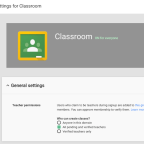
Ever since getting Classroom in beta I’ve been very interested in how it will engage the classroom and it would … Continue reading

Setting up your district or school with Google Play for Edu through Google Admin offers great power for teachers … Continue reading Power to the Teacher with Google Play for Edu

The ongoing sign in question continues to arise, whether if teachers are aware or accidentally have someone else signed in … Continue reading The Google Sign In Conundrum
As a teacher, technology facilitator, and presenter I understand the significance of making sure everyone in the audience feels … Continue reading 5 Signs of the Uncomfortable Teacher
As we educate our students, friends, and colleagues in Chrome usage and productivity… tab extensions are essential. I encourage so … Continue reading Tabs Galore!
Most users utilize Google Forms for tasks such as surveys, data collection, assessments, contact forms, etc. all of which are … Continue reading Getting More Out of Google Forms with autoCrat

1 All work saves automatically There is no reason for staff to use the words “remember to save your work” … Continue reading Google Drive SMART: 10 Teacher Tips

When planning your next Hangout, its important to consider the following items in order to achieve a seamless hangout experience. … Continue reading Hangouts Checklist

What is a Professional Learning Network? It’s a flexible, teacher-driven activity space that facilitates personalized professional development. PLN’s connect teachers … Continue reading Why PLN?
 Next Gen Life