
In a recent update, you may have noticed that if you use a Google Workspace account, your organization is now labeled with a toolbar chip as either Work or School in the top right corner of your Chrome browser.
To personalize this label and reinforce your organization’s branding, you can update it through the Google Admin Console. Simply navigate to the appropriate settings and replace the default label with your organization’s name or slogan for a more customized experience.
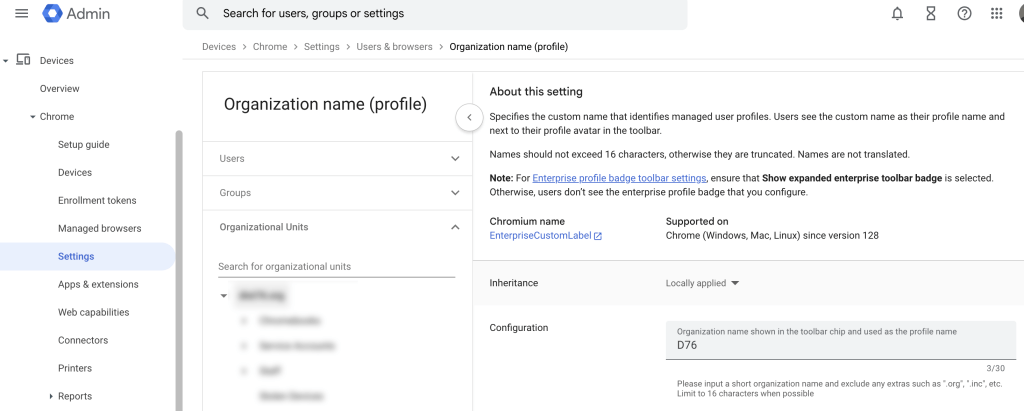
- Access your Google Workspace Admin Console (you will need super admin privileges).
- Locate Devices, find Chrome and click on Settings.
- Under the General section you will find Organization Name (profile).
- Here you can configure the name to your organization/company name (limit 16 characters).
- Once you have completed this it will take a few minutes and all your brand will now display on all staff Chrome browsers.


 Next Gen Life